Wireless — cloud-managed, identity-aware
Enterprise Wi-Fi that self-optimizes its RF, enforces identity on every SSID, and inherits policy from the same Orchestrator
Enterprise Wi-Fi that self-optimizes its RF, enforces identity on every SSID, and inherits policy from the same Orchestrator
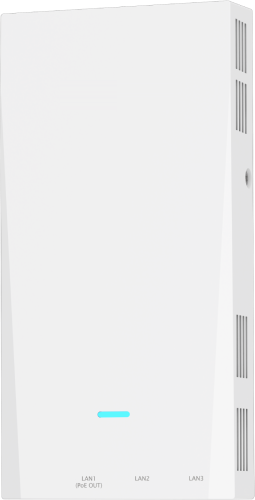
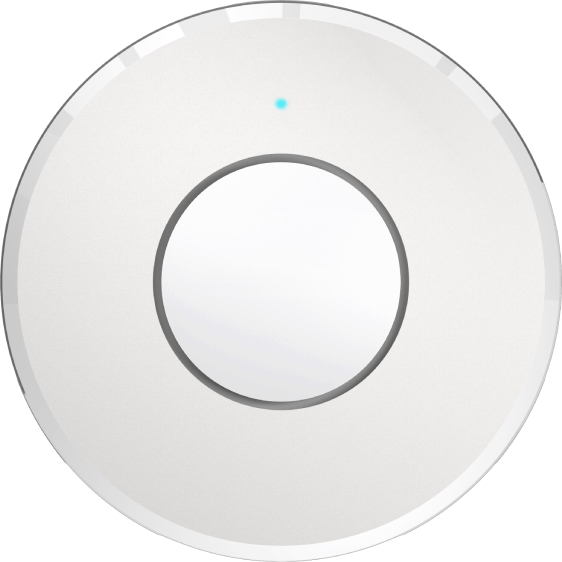
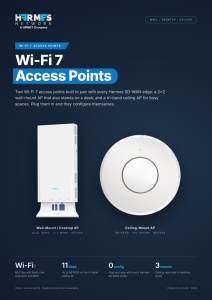
A 2×2 wall-mount AP that also stands on a desk, and a tri-band ceiling AP for busy spaces. Both are plug-and-play with every Hermes SD-WAN model
For rooms and desks: hotels, dorms, wards and offices.
For open spaces: lobbies, classrooms, halls and open floors.
Connect the AP to a Hermes edge or a switch behind it. PoE powers it on the same cable.
The edge finds the AP and adopts it into the site in the Orchestrator.
SSIDs, VLANs, guest isolation and QoS come from the site profile.
Clients, roaming, firmware and alerts in the same console as SD-WAN.
Mount the ceiling AP flat, facing the floor: a tilted AP sends much of its signal where nobody is.
Book a working session with a Hermes solutions architect —
we’ll model your sites in a Digital Twin first.